Block Diagram Designer
Concept. Design. Develop.
Streamline your workflow from concept to design. Quickly find and match the components needed for your design, reducing manual effort and enhancing efficiency. Set up your project, define functional blocks, generate high-level schematics and a part-specific BOM. The Block Diagram Designer supports the early stages of design, simplifying component search, schematic generation and output of design files to industry standard EDA tools.
How-To
Quickly set up your project with high-level requirements. Define global settings, functional blocks and connections, ensuring preferred design parameters from the start.
- Browse customizable block diagrams
- Edit an existing block diagram or create one from scratch
- Utilize recommended component selection
- Review your BOM
- Export or share your design files
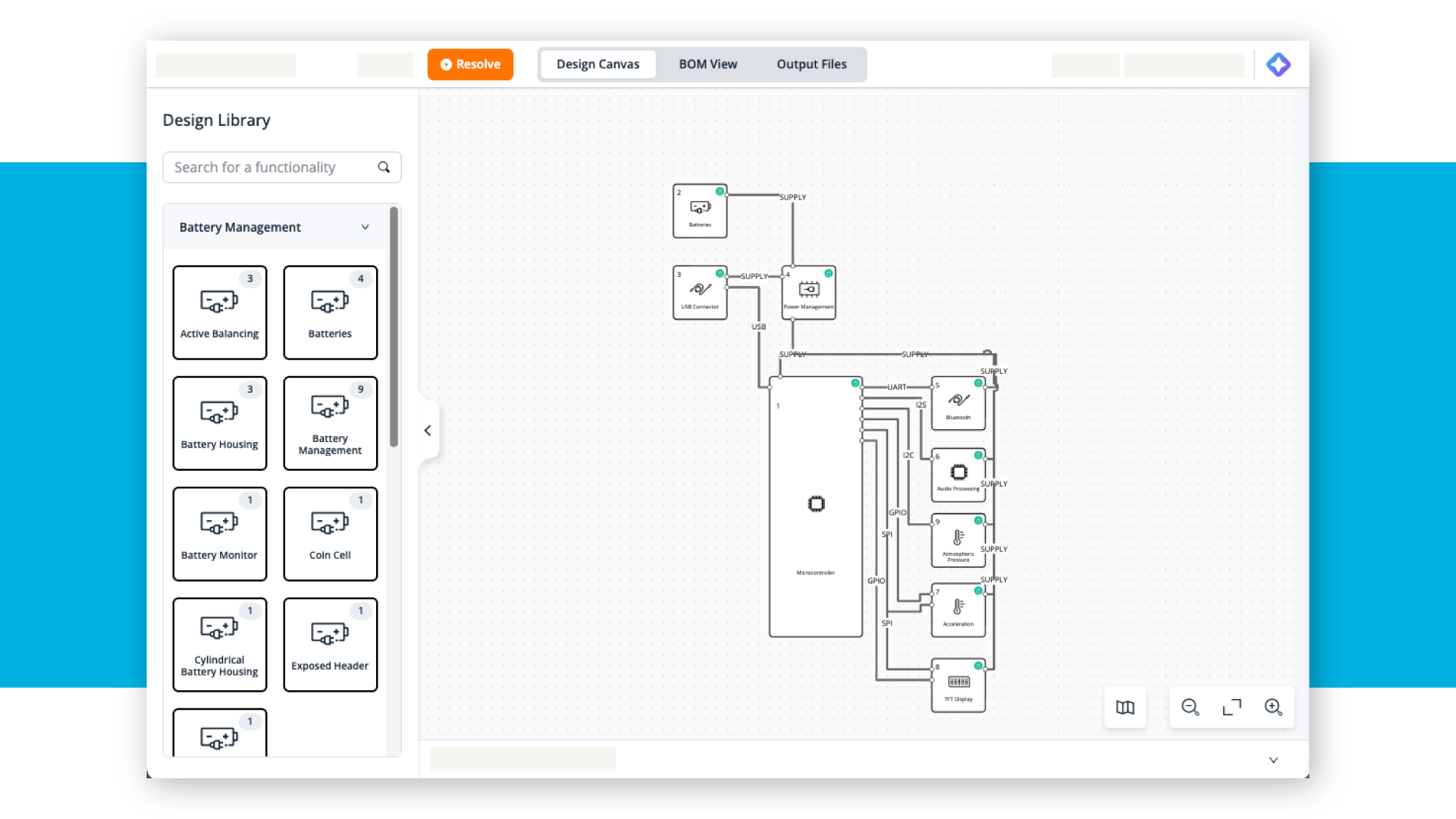
Explore Block Diagrams
Browse our extensive library of automotive, industrial, and consumer application examples. Edit existing block diagrams or create your own to match your project requirements.
Unlock your design experience. Sign Up Now.
Quickly access and manage your block diagrams anytime through NXP Account > My Projects
Download your Bill of Materials (BOM)
Customize your project with assisted design recommendations
Unlimited access to public technical content
Account Required
FAQs
How do I get started with customizing a block diagram?
On NXP block diagrams, click the “Edit Diagram” button to start building your customized design. Try it out on application pages like Battery Management System (BMS) or Hybrid Electric Vehicle (HEV) to explore how it works.
How can I access to this Block Diagram Designer?
An NXP account enables you access to the customized templates and generate your own solutions. Don't have an account with NXP? Sign up today.
How does the tool help with component selection and BOM generation?
The block diagram designer suggests parts based on your design and preferred suppliers, then creates an up-to-date BOM and availability insights. It reduces manual effort, speeds up development cycles, and enables engineers to focus on innovation and problem-solving.
What features and options are available in this customization tool?
The customization tool lets you tailor application block diagrams to your specific design needs. You can:
- Start a new project from scratch
- Explore featured projects for inspiration
- Copy and adapt featured projects to reduce repetitive tasks
- Access onboarding tutorials
What is a CUBO?
A CUBO is a ready-to-use digital representation of an NXP part that goes beyond a traditional datasheet by combining:
- Specifications
- CAD files
- Interfaces
- Application context
- Optimization factors
What format can I output my BOM to?
Your Bill of Materials will be downloaded as a CSV file.
What EDA tools can I output my schematics and footprints to?
Export and complete your PCB designs in various EDA tools, including Autodesk Fusion, Eagle, Altium Designer and KiCAD.
Have a question? Contact support.