In the fast-paced world of embedded systems and semiconductor development, time is always of the essence as
security remains a top priority. In such times, the latest update to the MCUXpresso Secure Provisioning
Tool (SEC Tool) is a true catalyst for engineers and developers—you can now help protect your project by
creating a secure image in just six clicks.
Introducing the New Workspace Interface
The new workspace interface in the SEC Tool is designed with efficiency and usability in mind. Whether you’re a
seasoned developer or just getting started with secure provisioning, this update provides an
accelerated way to configure your secure bootloader for building a secure image—often in under a minute.
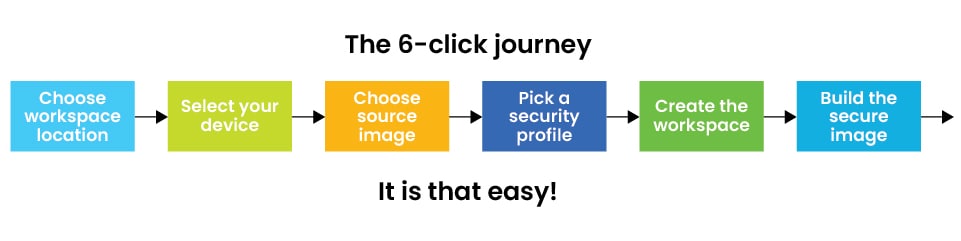 The 6-click journey to a secure workspace
The 6 Click Journey
The 6-Click process is comprised of these simple steps:
- Choose Workspace Location: Select where you want your workspace to reside to keep your projects
organized and accessible
- Select Your Device: Pick the target processor for your project, serving as an interface that
will support a wide range of devices, making it flexible for various applications
- Choose Source Image: Select the application image that you want to secure (for example, you
might use
a standard “Blinky” demo or your own custom firmware)
- Pick a Security Profile: The SEC Tool offers several preset security configuration profiles—
a signed image, an encrypted image, or both, allowing you to select the option that best fits your project’s
requirements
- Create the Workspace: With your selections made, simply click “Create”, where the tool
automatically generates signing and encryption keys and sets up secure bootloader configuration for you
- Build the Secure Image: Finally, hit “Build” and within seconds, your secure image will be
ready
to be written to your target processor
Why This Matters
Security is often seen as a complex, time-consuming hurdle, however the SEC Tool’s new workspace helps remove that
barrier, making robust security accessible to every developer—no cryptography expertise required. For example,
automatic key generation helps eliminate manual steps and reduces configuration errors.
For teams on tight deadlines, this streamlined workflow is a major productivity boost, going from prototype to secure
deployment in minutes.
Real-World Example
In a recent demo, the 6 click process was showcased using the MCX N947 microcontroller and a Blinky example image.
The developer selected the “encrypted and signed image on on-chip flash” profile while the tool handled all the
heavy lifting—generating keys, configuring the bootloader and building the secure image. The outcome: a fully
secured application image, ready for deployment, all in less time than it takes to grab a coffee.
Get Started Today
If you’re looking to enhance your project’s security without slowing down your development cycle, the new SEC Tool
workspace interface can help. In just six clicks, you can help secure your embedded applications—quickly, easily and
reliably.
Ready to try it? Launch the SEC Tool, follow the six simple steps and experience a new standard in secure
provisioning. If you’re looking for a microcontroller to begin your next project, we recommend starting with the MCX N or MCX W
series as these chips have built-in security features that secure your software’s valuable intellectual
property (IP).