Getting Started with S32Z280-594EVB
Contents of this document
-
Out of the Box
-
Get Software
-
Build, Run
Sign in to save your progress. Don't have an account? Create one.
Purchase your S32Z280-594EVB Evaluation Board
1. Out of the Box
1.1 Out of the Box
- NXP S32Z280-594EVB evaluation board
- 12 V power supply with universal adapters
- Board standoffs
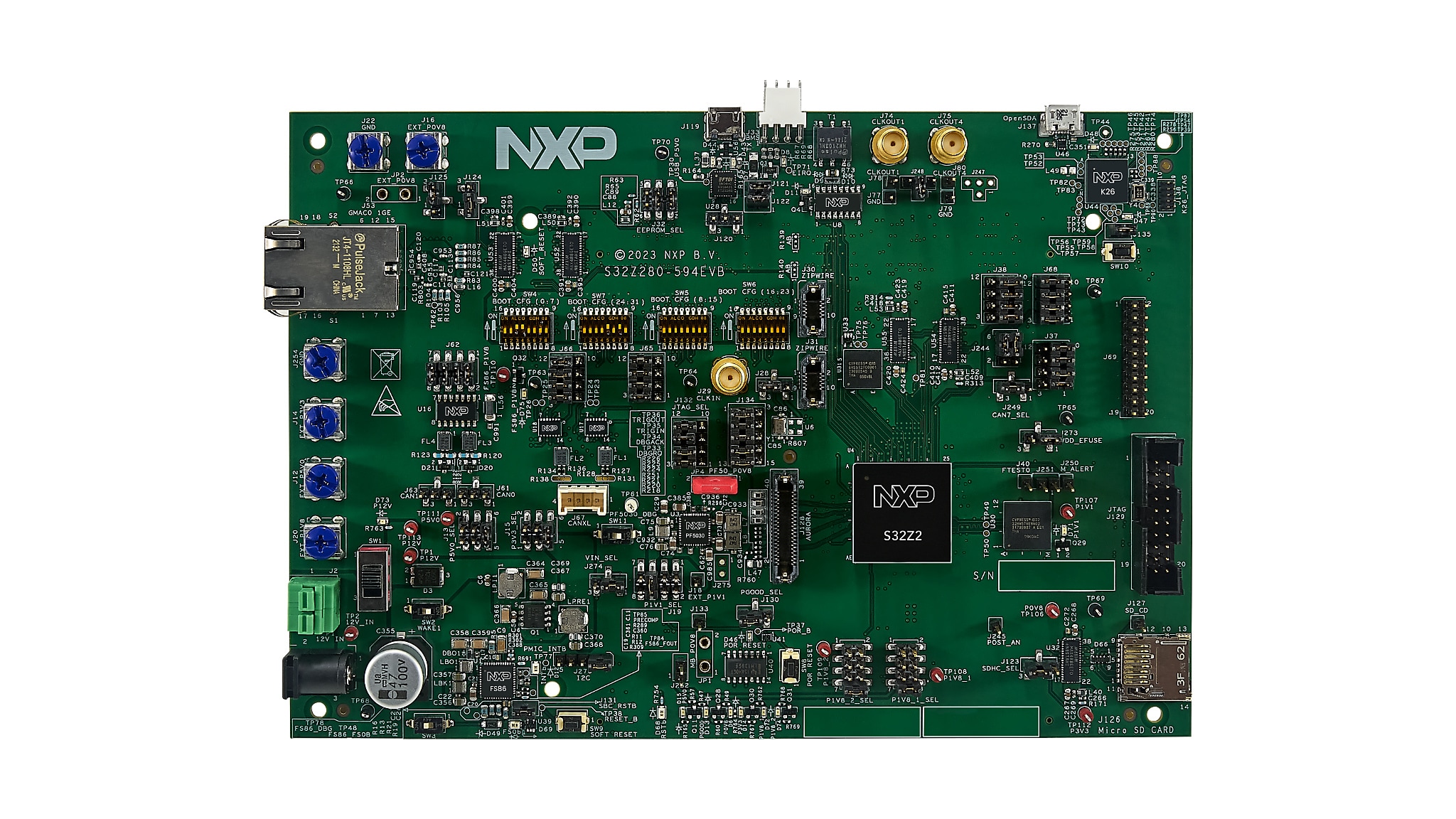
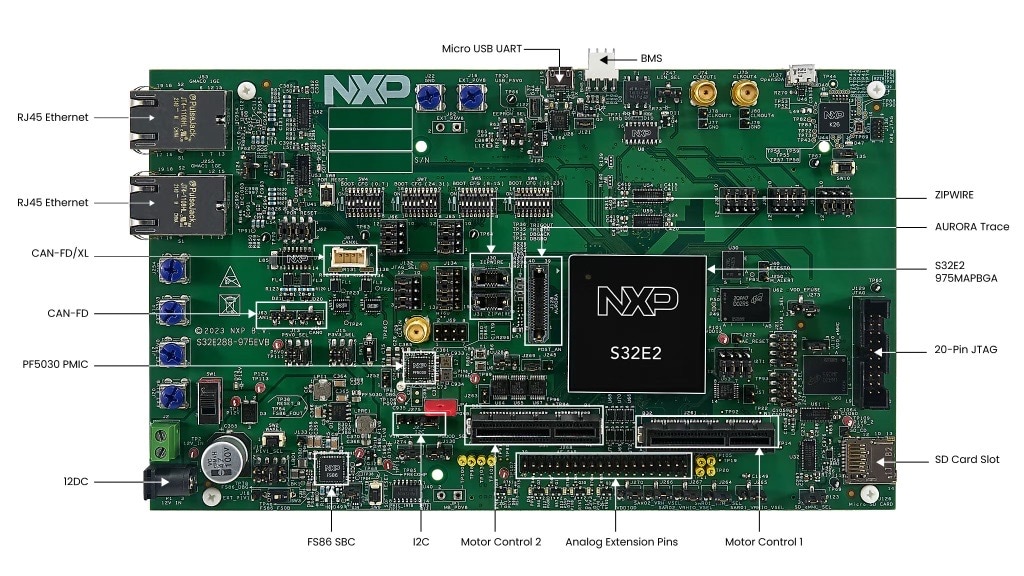
1.2 Get to Know the Hardware
The S32Z280-594EVB provides a platform for evaluation and development of S32Z2 high-performance real-time automotive processors, facilitating hardware and software development and providing robust debug capabilities. NXP provides Real Time Drivers (RTD) to be installed on top of the S32 Design Studio IDE, which the RTD consists of example software applications for various features and peripherals of the EVB.
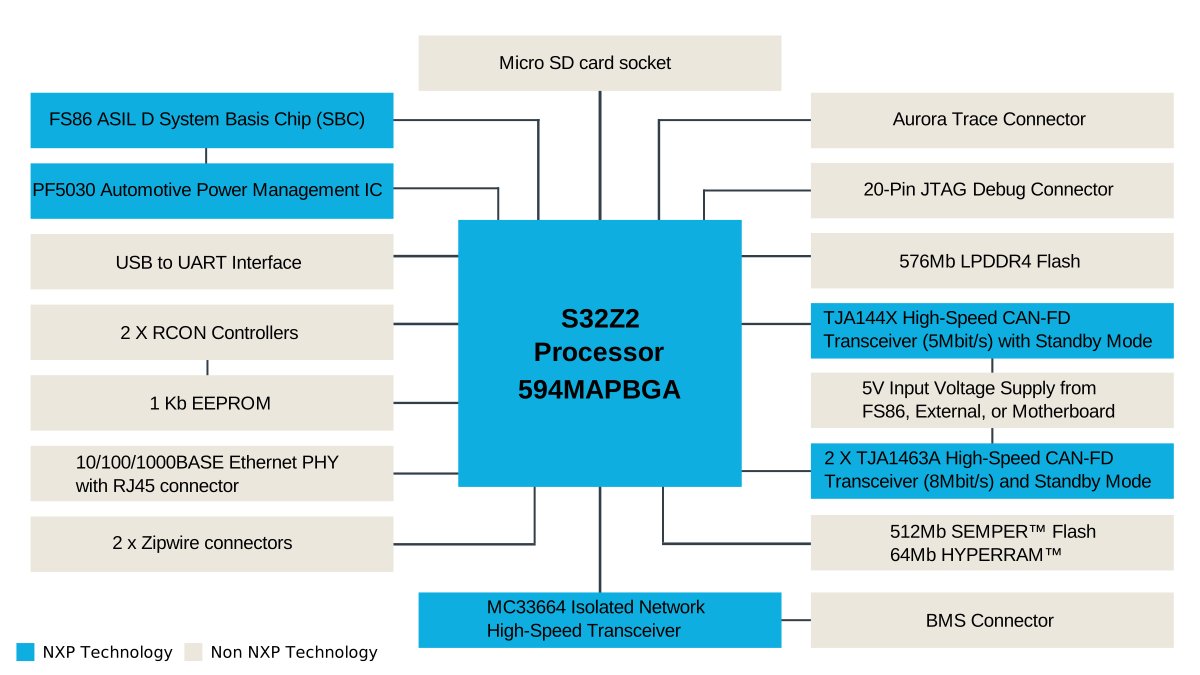
1.4 Board Features
- USB to UART interface
- 2 x RCON Controller for custom boot settings
- 1Kb EEPROM
- JTAG debug connector
- Quad flash
- 1 x 5Mbit/S CAN-FD and 2 x 8Mbit/S CAN-FD interfaces
- 1 x Micro-SD card socket
- 512Mb + 64Mb flash
- LPDDR4 flash
- BMS, Aurora Trace, Zipwire connectors
- Automotive ethernet and LIN
- User LEDs
- Option to connect to the S32X-MB motherboard to extend I/O capabilities
2. Get Software
2.1 Download S32 Design Studio
Download and install the S32 Design Studio for S32 Platform.
Download S32 Design Studio IDE
2.2 Install the Real Time Drivers (RTD)
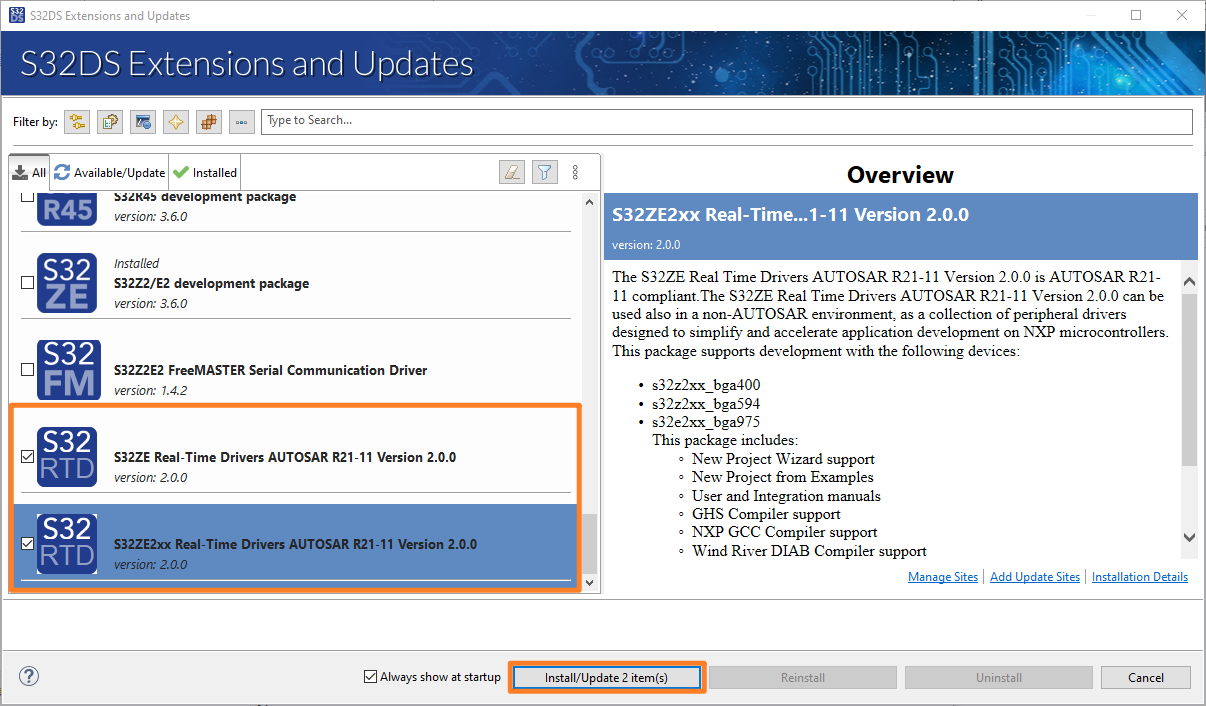
Download the S32ZE Real Time Drivers Version 2.x.x updatesite.zip. Open the S32 Design Studio. Go to Help→S32DS Extensions and Updates→Add Update Sites, and choose the downloaded updatesite.zip.
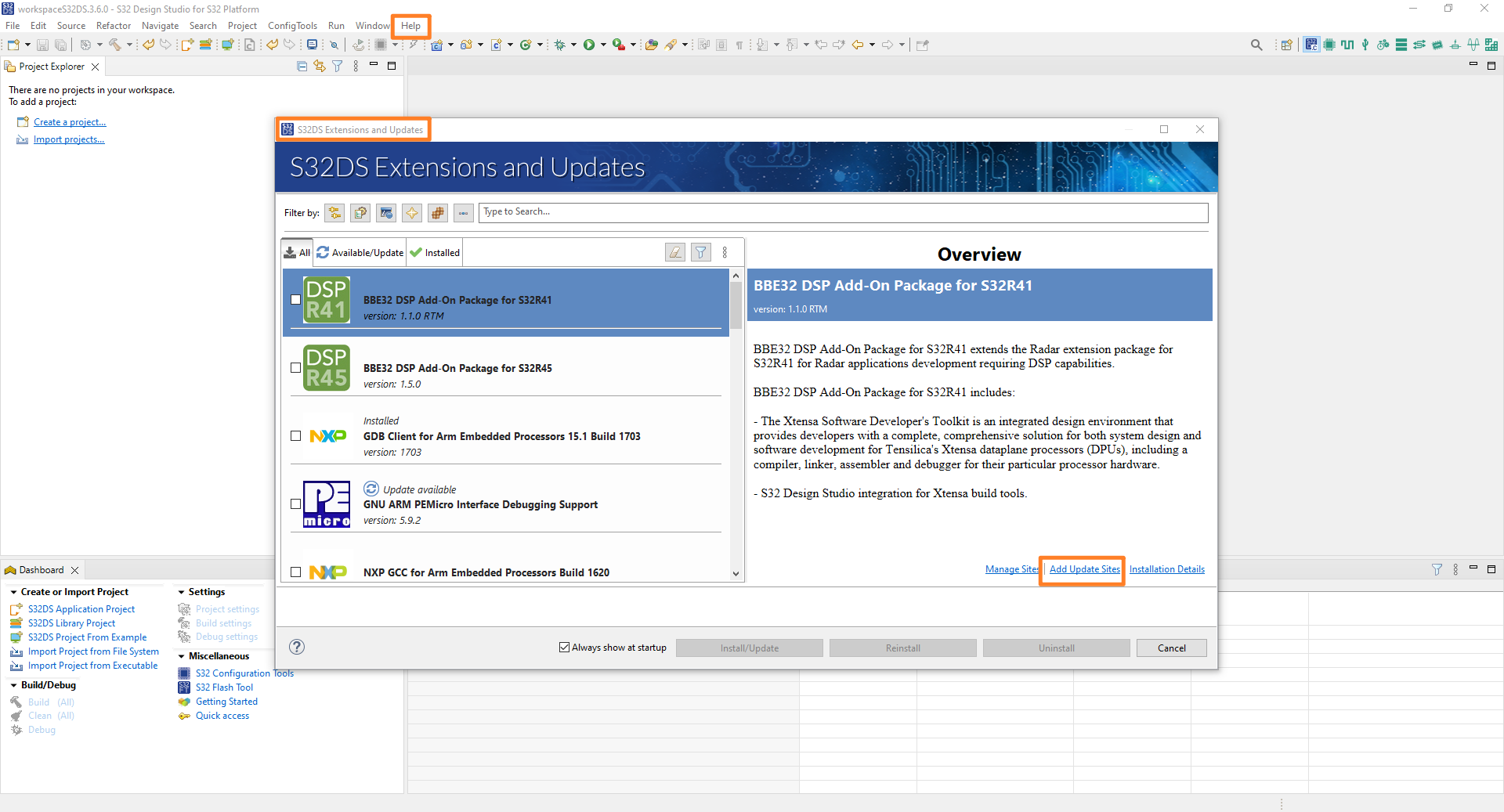
Find and select the two S32ZE Real-Time Drivers options from the list on the S32DS Extensions and Updates window, and click Install/Update.
3. Build, Run
3.1 Running an Example Application
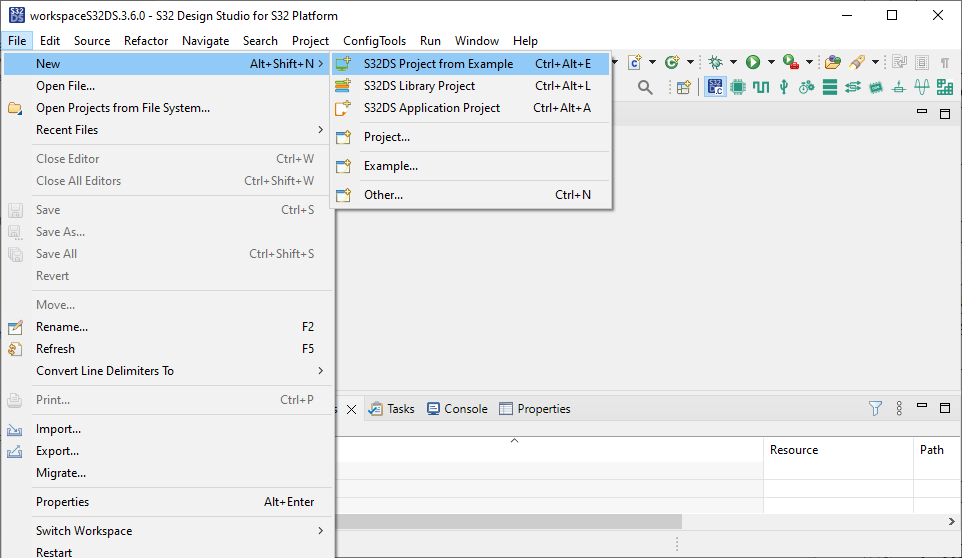
- Open the S32 Design Studio 3.6.x or above
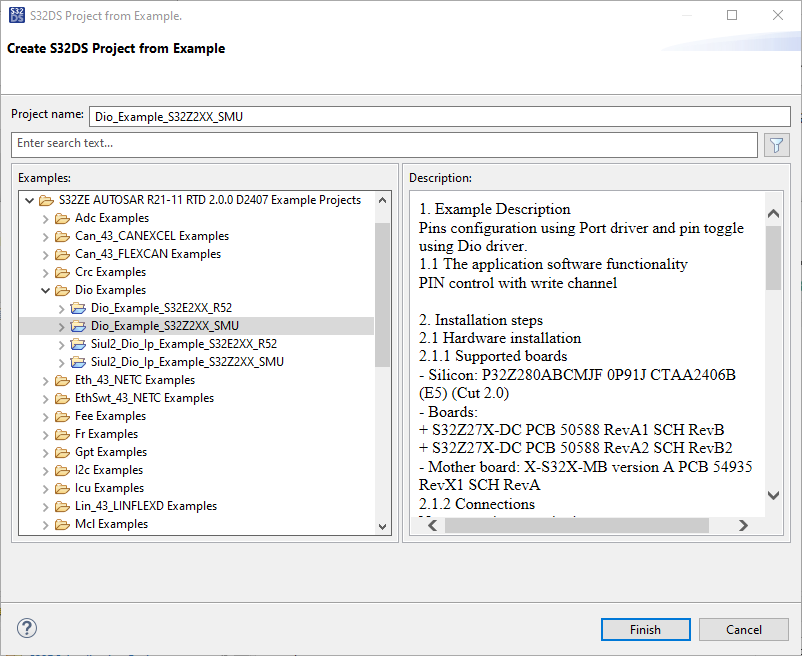
- Go to File→New→S32DS Project from Example
- Select from Dio Examples the
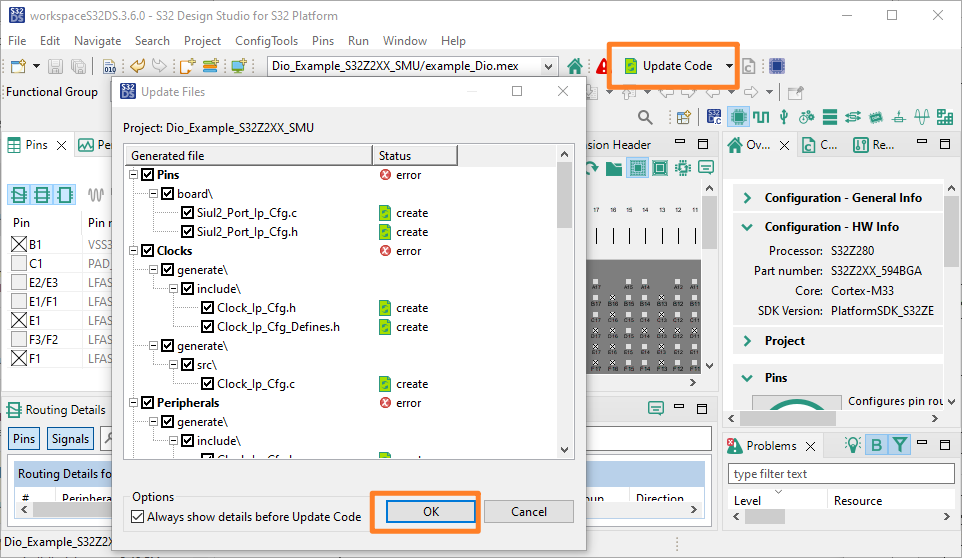
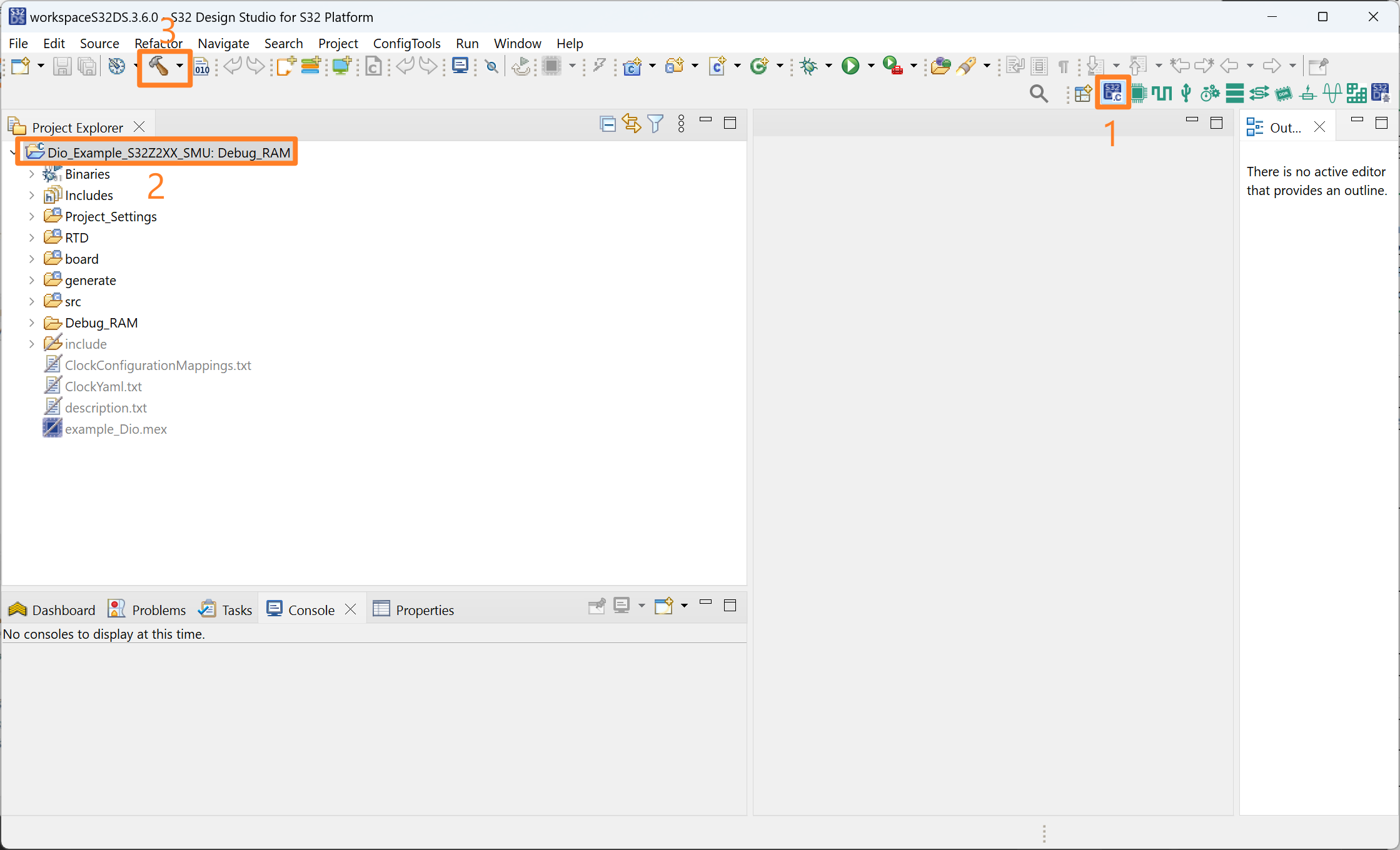
Dio_Example_S32Z2XX_SMU - Double click the
example_Dio.mexfile from the Project Explorer, click Update Code→OK - Click on the S32DS C/C++ icon, select the project and click the Build icon
- Connect the EVB to the 12 V power supply. Connect the S32 Debug Probe to the PC via USB, and connect the
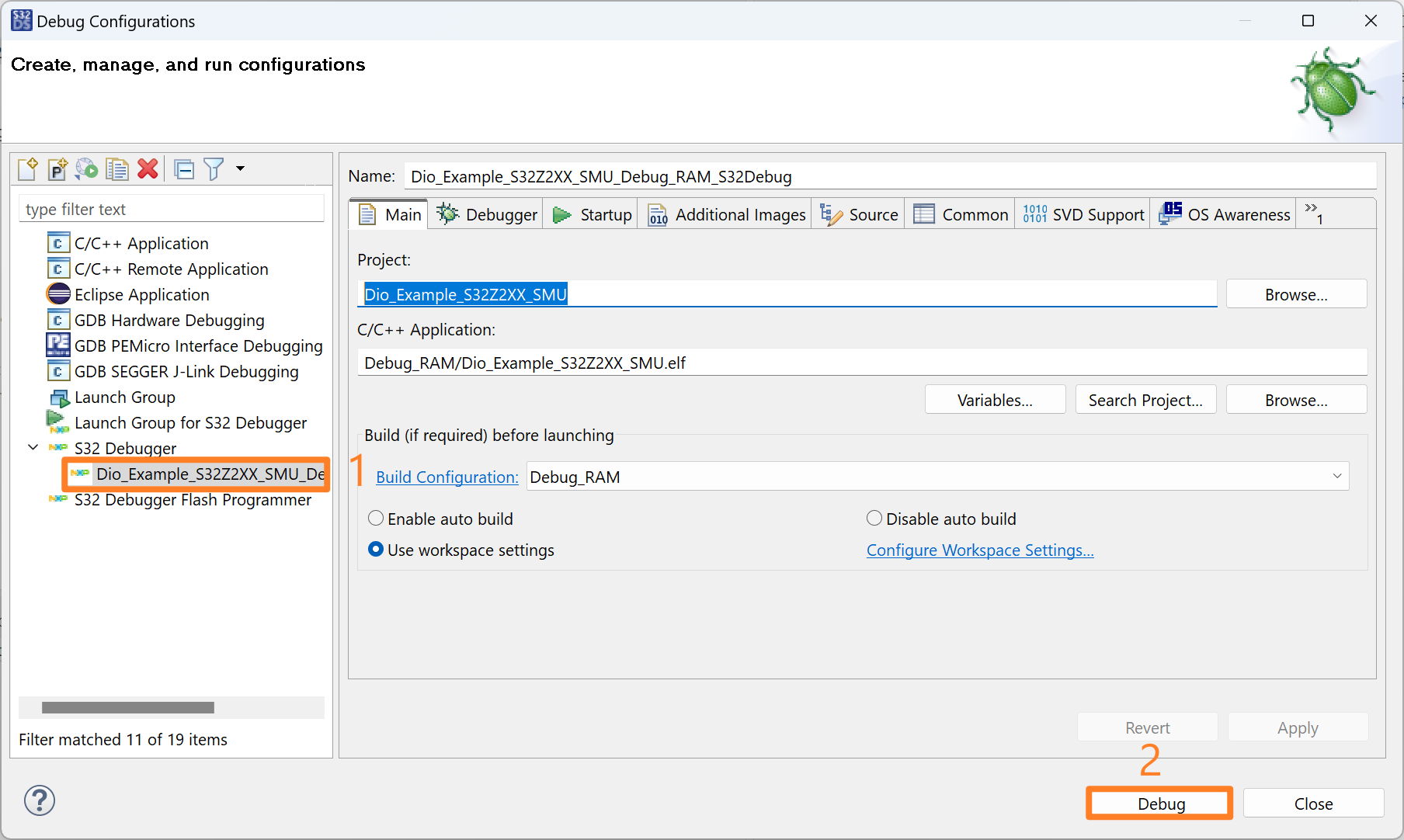
JTAGcable between the EVB and the S32 Debug Probe. Turn on the EVB usingSW1 - Click on the Run→Debug Configurations
- Choose the
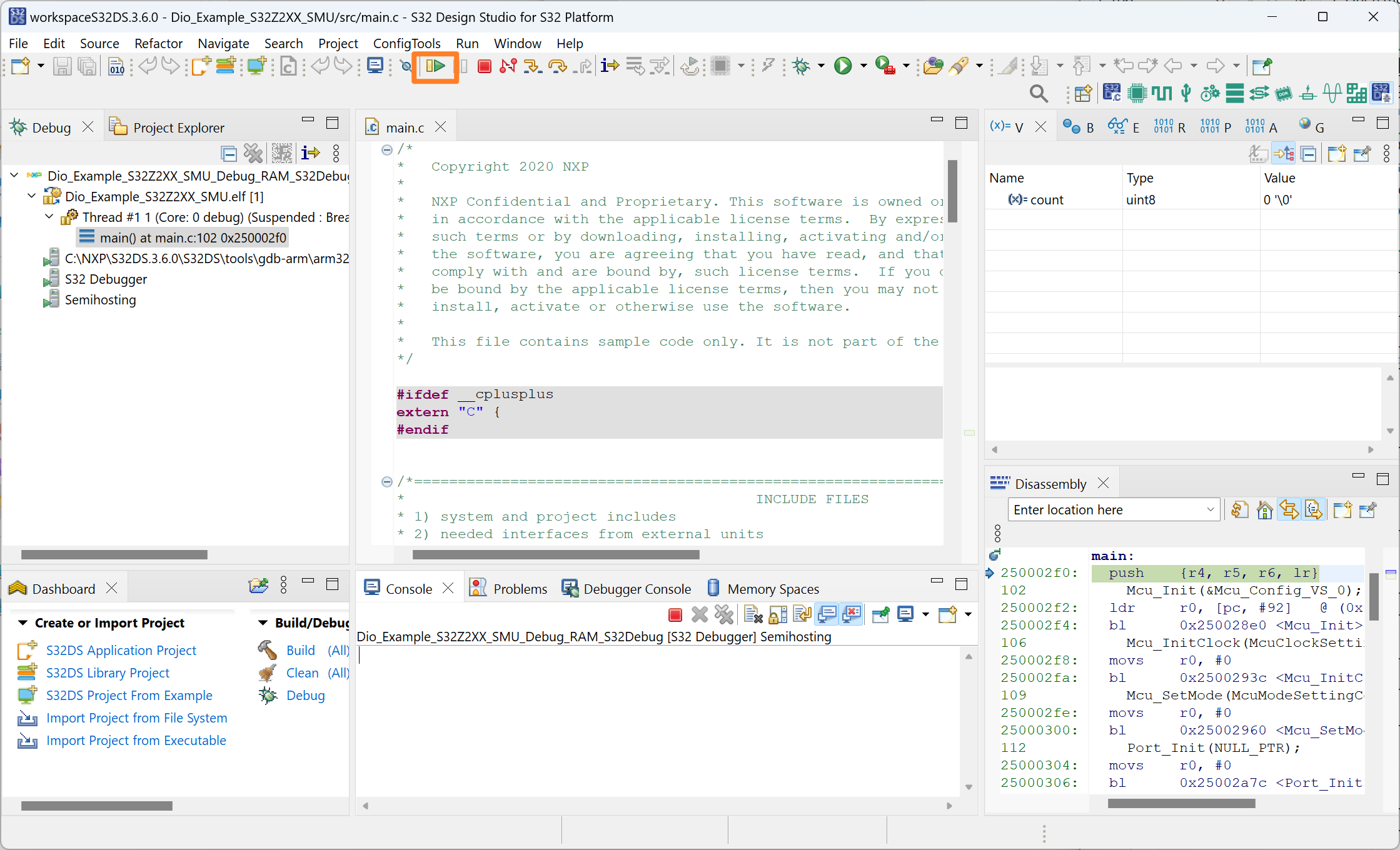
Dio_Example_S32Z2XX_SMUproject and click Debug - Resume the code and watch
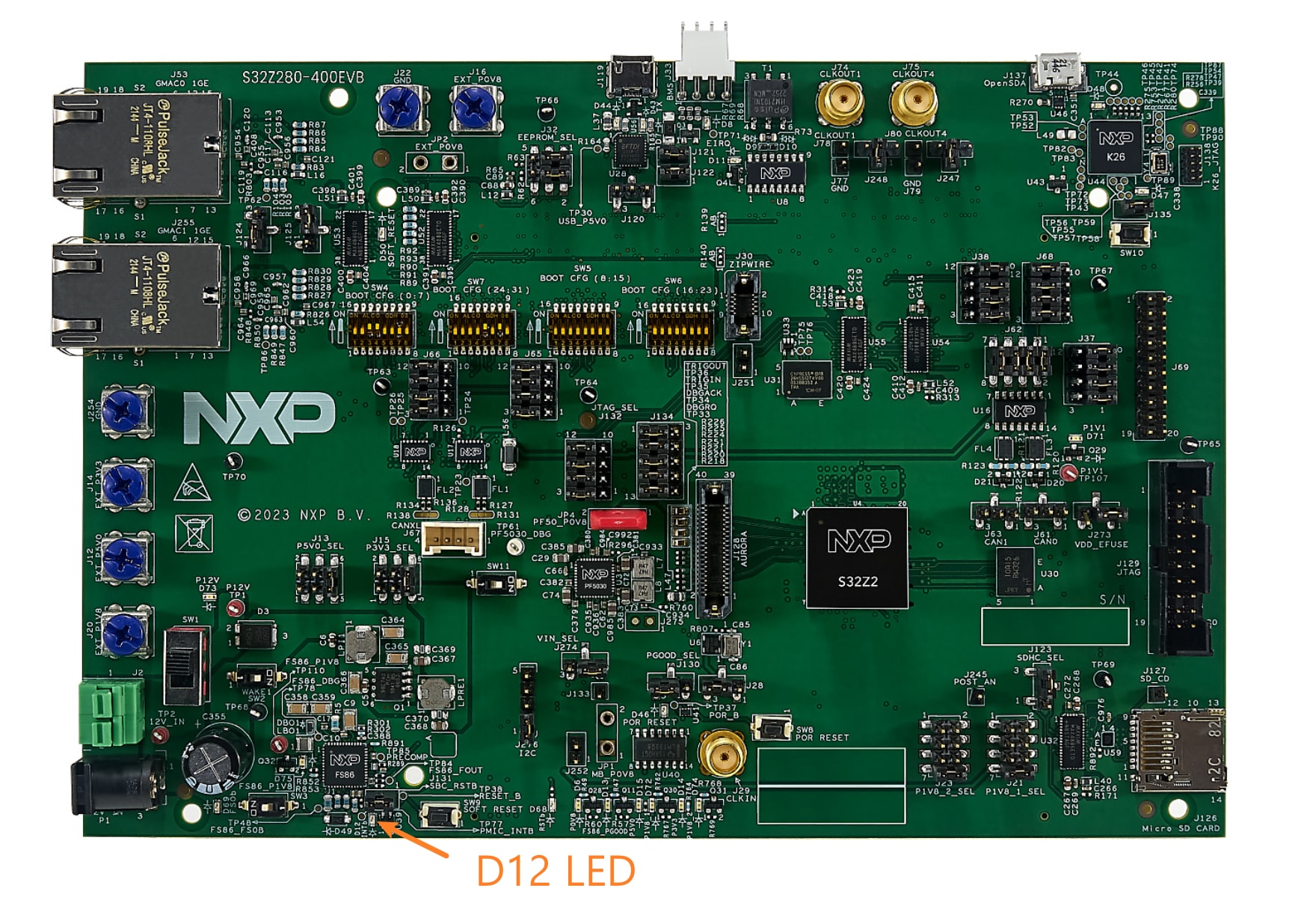
D12on the EVB to start blinking. By default themain.cis configured to letD12blink for 10 times

Design Resources
Board Information
Chip Documents
Software
Additional Resources
- Introducing the S32K3 Automotive MCU Family
- How To Use the Automotive Software Package Manager
- Twelve-Phase PMSM or Multimotor Applications with S32K3 MCU
- Body Domain Controller Solution with the S32K3 MCU, FS26 SBC, SJA1105 Transceiver and CD1030 MSDI
- High-voltage BMS Solution Using the S32K3 MCU, FS26 SBC and MC3377x Cell Controller
- High Voltage Battery Management System NXPLive Demo
Support
Forums
Connect with other engineers and get expert advice on designing with the S32Z280-594EVB evaluation board using our community sites.