Getting Started with the KITPF0300FRDMEVM Evaluation Board
Contents of this document
-
Out of the Box
-
Get to Know the Hardware
-
Configure Hardware
Sign in to save your progress. Don't have an account? Create one.
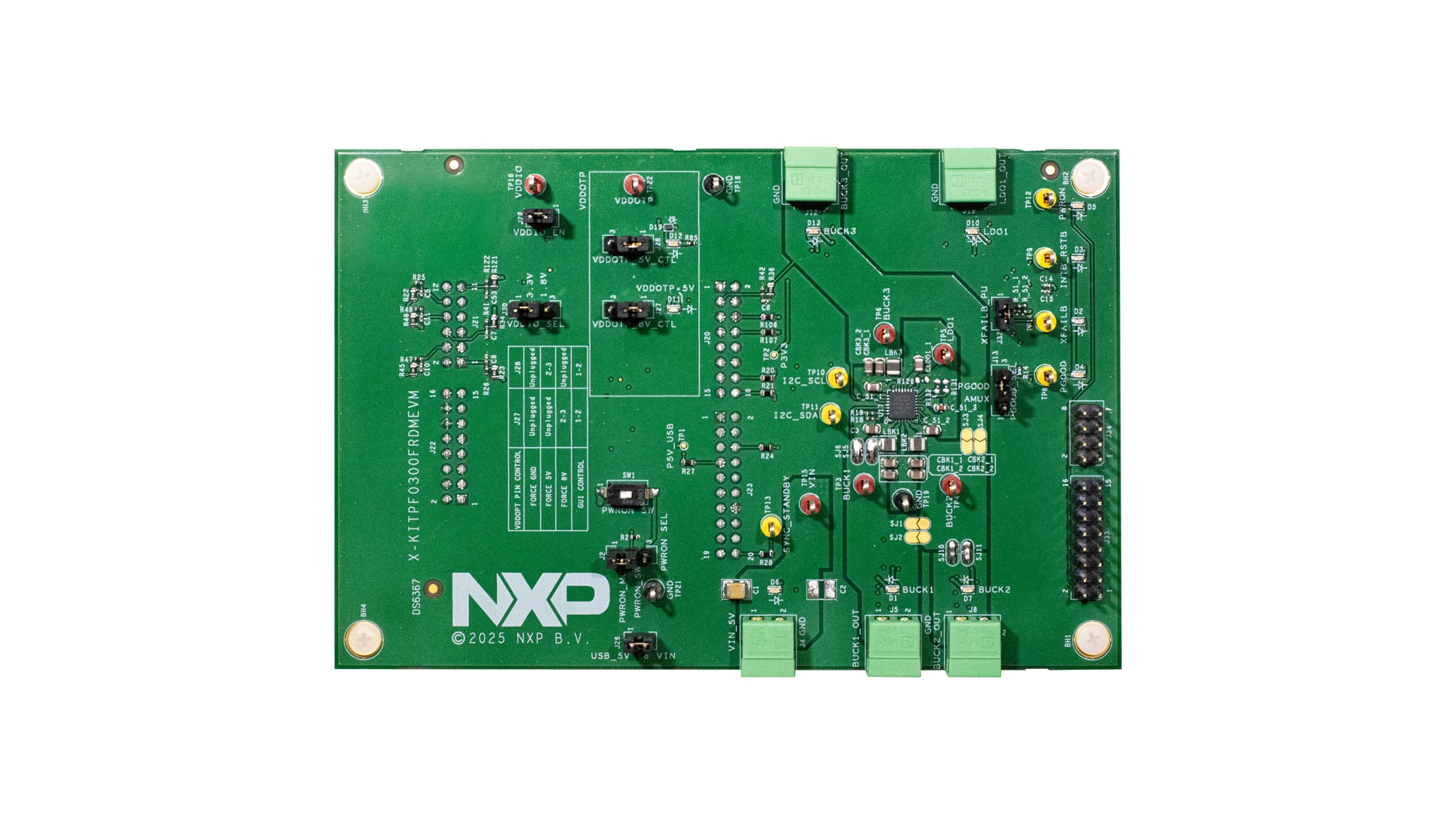
Purchase your KITPF0300FRDMEVM
1. Out of the Box
The NXP analog product development boards provide an easy-to-use platform for evaluating NXP products. The boards support a range of analog, mixed-signal and power solutions. They incorporate monolithic integrated circuits and system-in-package devices that use proven high-volume technology. NXP products offer longer battery life, a smaller form factor, reduced component counts, lower cost and improved performance empowering state-of-the-art systems.
This page will guide you through the process of setting up and using the KITPF0300FRDMEVM board.
1.1 Kit Contents and Packing List
Working with the KITPF0300FRDMEVM requires the kit contents, more hardware and a Windows PC workstation with installed software.
The kit contents include:
- Assembled and tested the evaluation board in an antistatic bag
- Quick start guide
- An assembled and tested evaluation board and preprogrammed FRDM-KL25Z microcontroller board in an antistatic bag
- A 3.0 ft USB-STD A to USB-C-minicable
- Jumpers mounted onboard
- Mating Phoenix connector
1.2 Additional Hardware
In addition to the kit contents, the following hardware is necessary or beneficial when working with this board:
- A power supply with a range of 3.3 V to 5.0 V
1.3 Minimum System Requirements
This evaluation board requires a Windows PC workstation. Meeting these minimum specifications should produce great results when working with this evaluation board:
- USB-enabled computer with Windows 7 or Windows 10
1.4 Software
GUI for Automotive PMIC Families information page at NXP GUI for Automotive PMIC Families.
2. Get to Know the Hardware
The KITPF0300FRDMEVM kit provides an integrated platform for evaluating designs based on NXP's PF0300 PMIC. All PF0300 features can be accessed and monitored in a test environment.
The kit hardware consists of the KITPF0300FRDMEVM evaluation board, a FRDM-KL25Z microcontroller board, and the USB cable required to connect the FRDM-KL25Z to the PC.
The KITPF0300FRDMEVM evaluation board features an individual PF0300 soldered on board. Connectors, jumpers, and switches on the board can be used to configure an evaluation environment that meets specific design requirements. The board also contains LEDs and test points that provide a means of monitoring performance in real time.
The FRDM-KL25Z is mounted to Arduino connectors on the bottom of the KITPF0300FRDMEVM board. The role of the FRDM-KL25Z is to manage serial peripheral interface (SPI) communication between the KITPF0300FRDMEVM board and the GUI installed on the PC. The FRDM- KL25Z draws power from the USB cable connected to the PC.
2.1 Board Features
- Phoenix (3.81 mm) male connectors for switches and LDOs
- Selectable Debug mode, Normal mode and Test mode
- VDDOTP and PWRON to power up the device in different modes
- PGOOD, INTB/RSTB, SYNC and XFAIL pins
- USB to I²C protocol for easy connection to software GUI
- LEDs, green and red, indicate signal or regulator status
- LED blue to indicate VDDOTP pin is set to 8 V (OTP burning voltage)
- Header connectors for monitoring outputs
- Advanced system monitoring via KL25 MCU ADC
2.2 Board Components
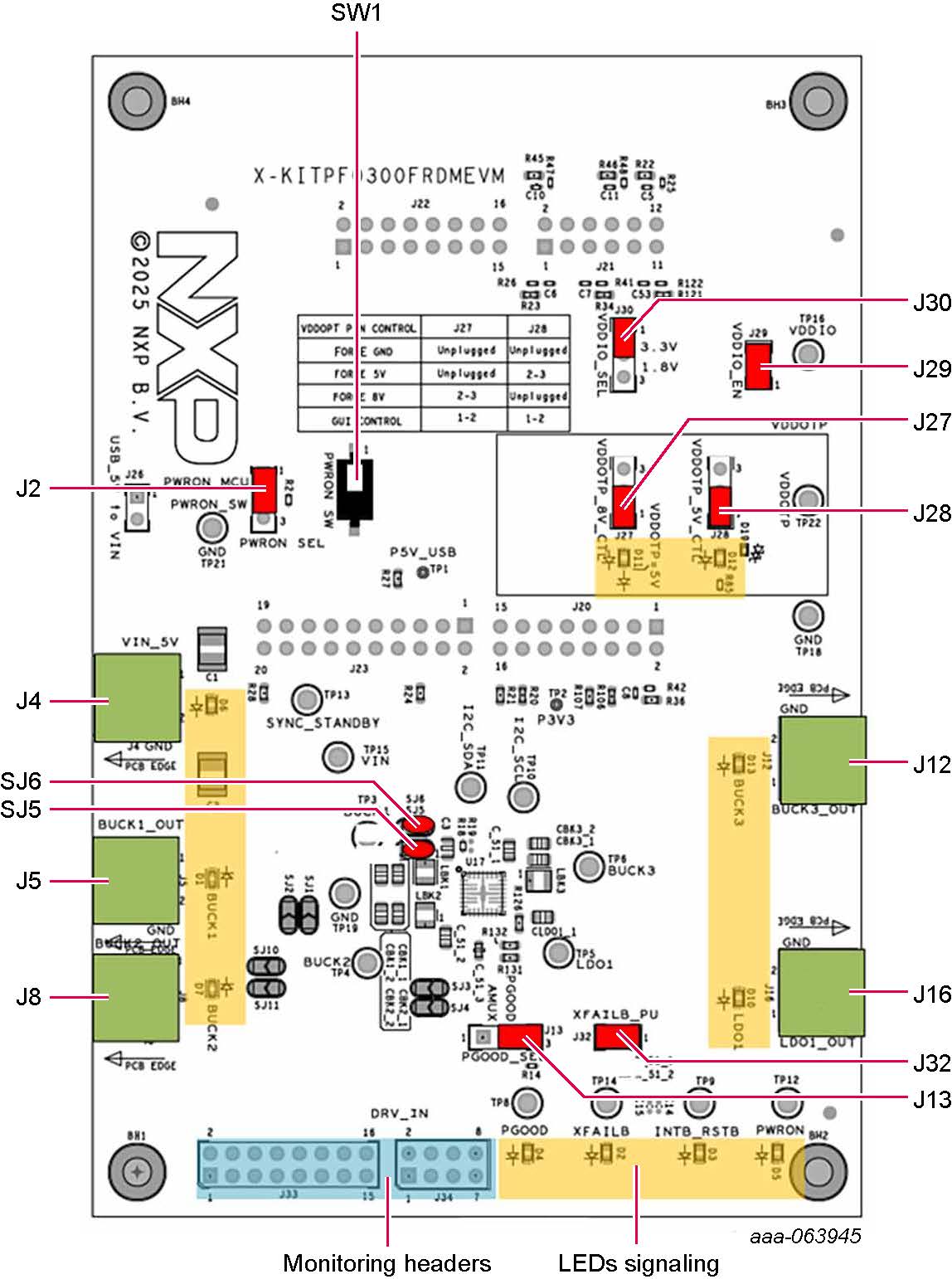
| Position | Function | Description |
|---|---|---|
J4 |
VIN | Input voltage (3.3 V min/5.5 V max) |
J5 |
BUCK1_OUT | Output for Buck 1 |
J8 |
BUCK2_OUT | Output for Buck 2 |
J12 |
BUCK3_OUT | Output for Buck 3 |
J16 |
LDO1_OUT | Output for LDO 1 |
J2 |
PWRON_SEL | PWRON controlled either by MCU or manually with PWRON_SW |
SW1 |
PWRON_SW | PWRON manual control (assume J2 on PWRON_SW position) |
J26 |
USB_5V_TO_VIN | Supply VIN with 5 V from USB (currently limited to 1 A) |
J30 |
VDDIO_SEL | VDDIO set to either 1.8 V or 3.3 V |
J29 |
VDDIO_EN | Apply VDDIO to VDDIO pin |
J13 |
PGOOD_SEL | PGOOD setting either PGOOD/GPO or output of temperature junction analog voltage |
J27 |
VDDOTP_8V_CTL | 8 V on VDDOTP controlled either manually or by MCU |
J28 |
VDDOTP_5V_CTL | 5 V on VDDOTP controlled either manually or by MCU |
J32 |
XFAILB_PU | Pull-up XFAILB to VDDIO |
J33/J34 |
Monitoring headers | I/O pins and regulator outputs for monitoring purpose |
SJ5 |
— | Solder blob jumper to connect BUCK1_OUT and BUCK1_FB |
SJ6 |
— | Solder blob jumper to connect BUCK1_LX and BUCK3_OUT |
3. Configure Hardware
3.1 Configure Hardware
The procedure for setting up the KITPF0300FRDMEVM board is as follows:
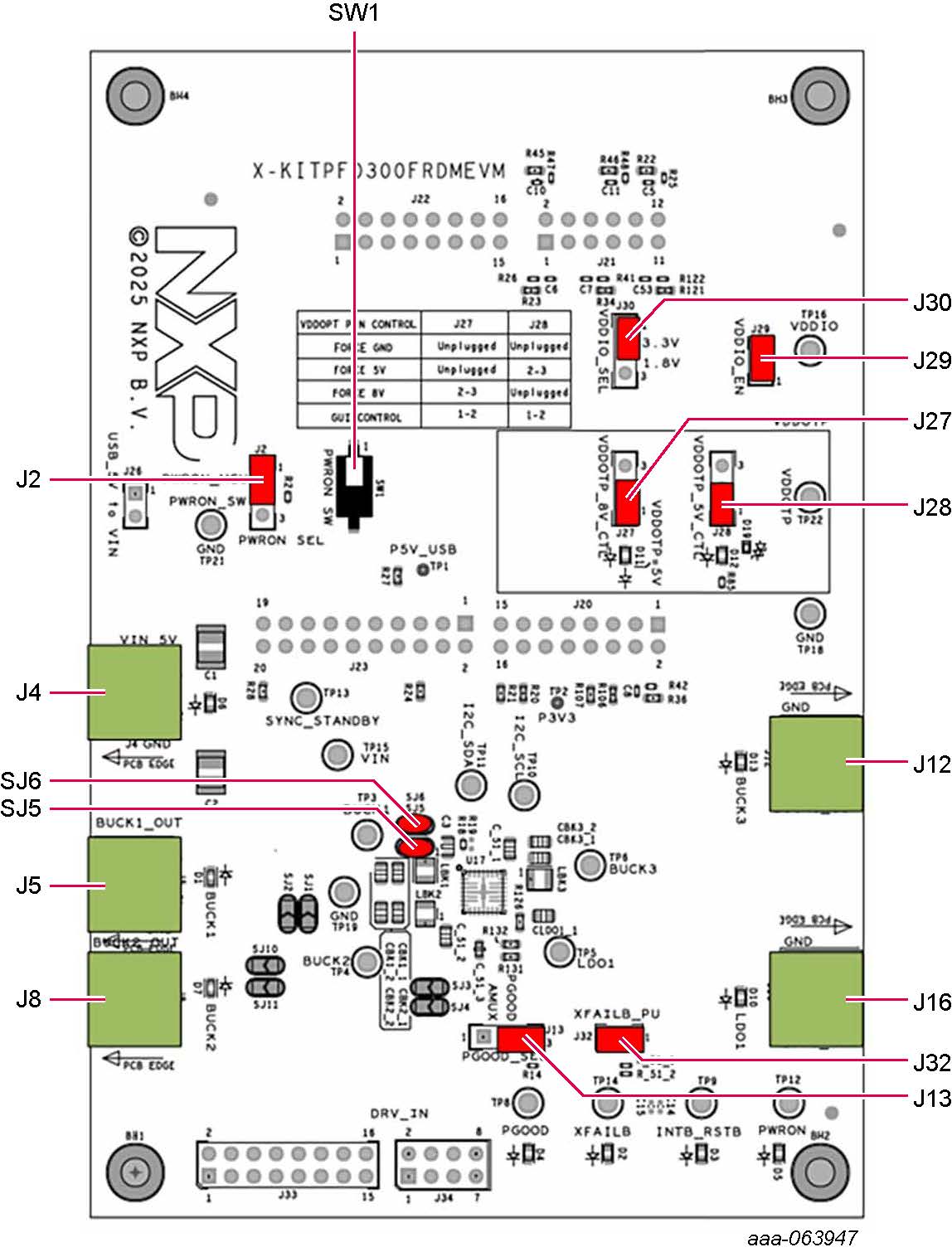
- Make sure the board has the jumpers configured in their default position as shown in Figure 1. The default configuration enables the board to be fully controlled by the FRDM-KL25Z and the GUI
-
Connect the power supply to
J4(Phoenix connector - 3.81 mm). The power supply should be set to an initial value of 5.0 V - Verify that the FRDM-KL25Z board is firmly mounted to the KITPF0300FRDMEVM board. Also, make sure that the USB cable between the FRDM-KL25Z and the PC is securely connected. This connection is critical because the USB port serves as a communication channel between the PC and the FRDM-KL25Z board, provides voltages and references to some onboard circuits, and generates the VDDIO reference for the integrated circuit (IC)
Design Resources
Board Documents
Additional References
In addition to our PF0300: Production description page, you may also want to visit: