Designing an embedded system requires seamless coordination between hardware and software. NXP Configuration
Tools offer
a comprehensive, user-friendly solution to help developers streamline system setup, accelerate development and
reduce
errors.
These tools are available in two main versions:
- MCUXpresso Config Tools targeted for microcontroller development
- Config Tools for i.MX intended for application processors
Both are offered as free downloads or as web-based tools, and are also integrated directly into MCUXpresso Integrated
Development Environment (IDE) and
MCUXpresso Installer for Visual Studio (VS) Code.
Explore how NXP’s Config Tools are helping engineers simplify embedded system design—from pin muxing to
Zephyr
integration. Dive deeper by listening to our EdgeVerse Techcast episode on Apple podcasts , Spotify
or YouTube.
Pin Configuration Made Simple
One of the foundational tasks in embedded system design is configuring input/output (I/O) pins. With the increasing
complexity of
pin
multiplexing and peripheral mapping, managing this manually is error-prone and time-consuming. The Pins Tool
simplifies
this process by providing a visual interface for exploring chip packages, identifying available signals and
avoiding
resource conflicts. It offers real-time conflict detection and the ability to label pins, preview package diagrams
and
generate detailed HTML or spreadsheet reports.
For teams collaborating across hardware and software, the Pins Tool supports configuration sharing and code
generation.
Developers can export C code functions that initialize pins according to predefined configurations, with support for
previewing changes and automated integration into startup routines.
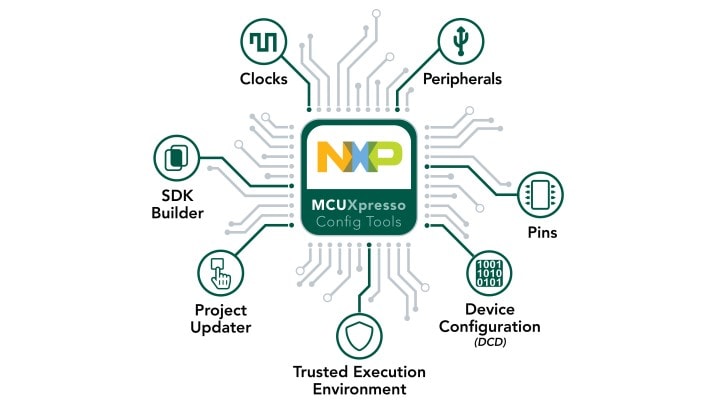 NXP Config Tools allow developers to quickly build a custom software development kit
(SDK) and leverage pins,
clocks and peripherals to generate
initialization C code or register values.
NXP Config Tools allow developers to quickly build a custom software development kit
(SDK) and leverage pins,
clocks and peripherals to generate
initialization C code or register values.
Clock Configuration with Visual Clarity
Modern microcontrollers often contain multiple clock sources, phase-locked loops (PLLs) and dividers—introducing
billions of possible
configurations. The Clocks Tool provides a graphical representation of the entire clock tree, enabling users to
configure elements interactively and view the resulting frequencies in real time. It also performs constraint
validation
to prevent unsupported settings, reducing the need for hardware-based trial and error.
Users can lock specific frequency outputs and allow the tool to determine the optimal configuration automatically.
Multiple clock schemes can be defined, with the tool generating the initialization code for each configuration,
offering
flexibility in runtime selection.
Peripheral Initialization and Configuration
The Peripheral Tool further accelerates system bring-up by automating SDK driver configuration and code generation.
Developers can select peripherals, adjust their modes and settings and receive complete initialization code that
integrates with the appropriate SDK application programming interface (API). If a toolchain project is linked, the
Config Tools ensure that the
project includes the correct software components and appropriate versions.
The tool also cross-validates peripheral settings with the Pins and Clocks tools, flagging issues, such as unassigned
signals or disabled clocks. For peripherals that use direct memory access (DMA), the tool provides a channel usage
overview to help
optimize
resource allocation.
Zephyr RTOS Support and Future Enhancements
As the Zephyr real-time operating system
gains popularity in embedded development, NXP is expanding Config Tools
support
to meet evolving needs. The Pins Tool already offers the ability to generate Zephyr-compatible device tree files.
Ongoing development aims to provide broader Zephyr integration to support hardware abstraction and project
scalability.
NXP Config Tools
continue to evolve as a key part of the development workflow, helping engineers reduce
complexity, improve consistency and accelerate time to market.